

Overview
GPT-6 Astra is OpenAI's most capable general-purpose model yet, with big gains in coding, tool use, computer use, and long-running agentic tasks. The part I cared about was different: what happens when you pair that intelligence with ChatGPT Images 2.0, OpenAI's image generation model, inside a single Codex workflow.
The biggest limitation of AI-generated websites has never been the code. It has been the imagery. You can get a decent landing page in minutes, but custom visuals that fit the art direction, sit inside the layout, and feel like one brand have stayed hard. So I gave Astra a demanding brief for a fictional travel app called Roam and let it handle design, code, interactions, and imagery in one pass.
Short version: this is my favorite method for building image-heavy websites right now, and the reason is the combination of capabilities rather than any single benchmark.
What is GPT-6 Astra?
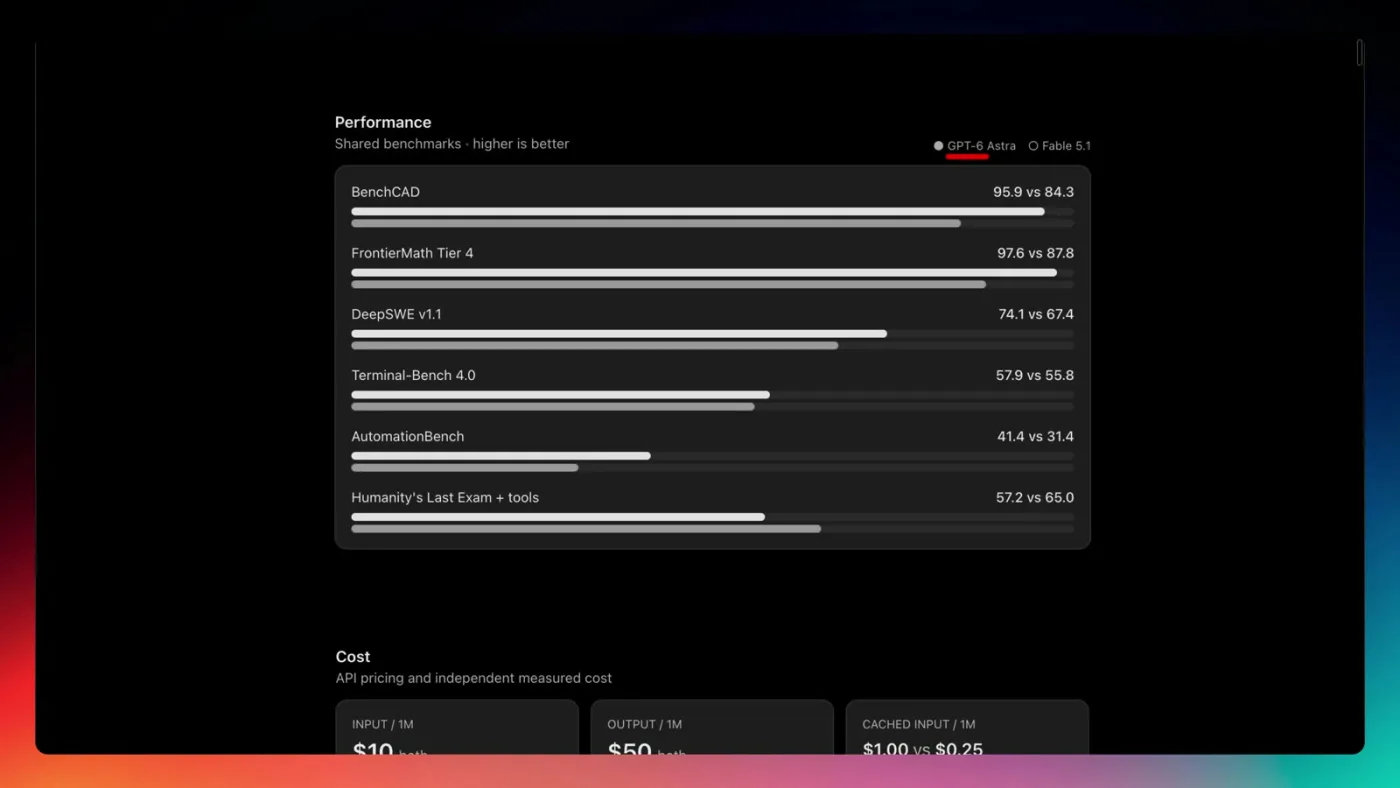
GPT-6 Astra is OpenAI's newest flagship model. It launched the same week Anthropic shipped Claude Fable 5.1, so the two are being compared everywhere. My designer's test of 5.1 is here: I Tested Claude Fable 5.1 as a UI Designer On OpenAI's published benchmarks, Astra beats Fable 5.1 on five of six shared rows, including BenchCAD, FrontierMath Tier 4, DeepSWE, Terminal-Bench, and AutomationBench. Fable 5.1 still wins Humanity's Last Exam with tools.
A model that crushes technical benchmarks is not automatically a good designer, though. Benchmarks measure whether it can complete tasks. They say nothing about whether it has taste, and taste is something you have to test for yourself. That is why this review is from a designer's perspective rather than an engineer's.
GPT-6 Astra vs Fable 5.1: pricing and cost per task
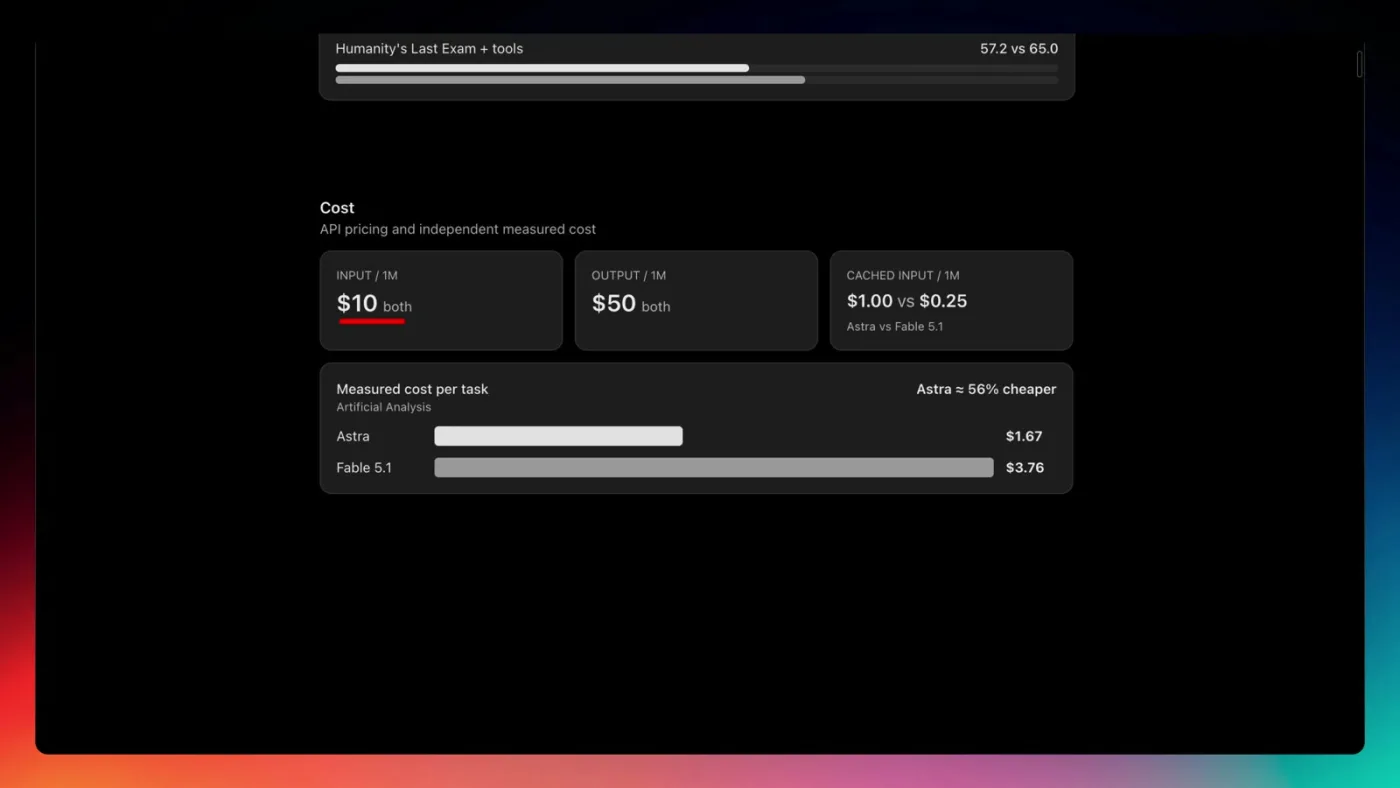
Pricing looks identical at first glance. Both models list at $10 per million input tokens and $50 per million output tokens, though Fable 5.1's cached input is cheaper at $0.25 versus $1.00. Artificial Analysis's measured cost per task tells a different story: GPT-6 Astra comes in about 56% cheaper on the same work because it needs fewer tokens to finish.
So on paper GPT-6 is more powerful and cheaper. That still does not tell you whether it can establish a visual direction, keep a brand coherent across sections, or make an image feel like it belongs in a layout. For the full model-versus-model design comparison from the previous generation, see GPT-5.6 vs Fable 5: The Ultimate UI Design Test
Why Images 2.0 gives Codex an edge over Claude Code
I use Claude Code for most of my work, and I pay for a ChatGPT subscription on top of it for one reason: a native image generation model. Claude Code has no built-in image model. I sometimes use the Higgsfield MCP to generate images from Claude Code, but it is only free up to a point, and then I am paying a third bill.
Inside Codex, Images 2.0 is right there. The model can decide what visuals a section needs, generate them, and build the interface around them without a hand-off between tools. For web design specifically, that closes the gap that has been holding AI-built sites back.
If you are new to Codex, my setup and workflow guide is here: How to Use Codex as a Designer
The Roam landing page: what GPT-6 Astra built
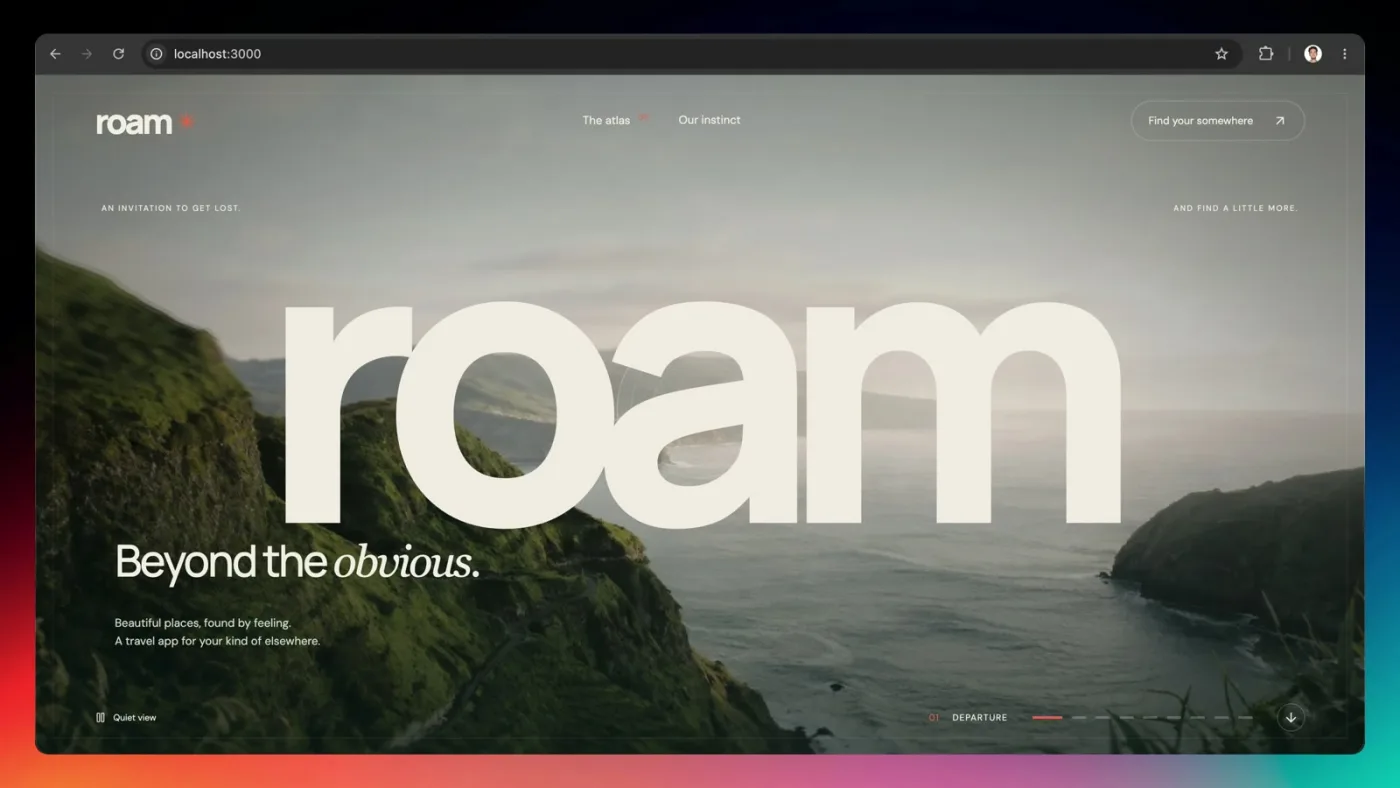
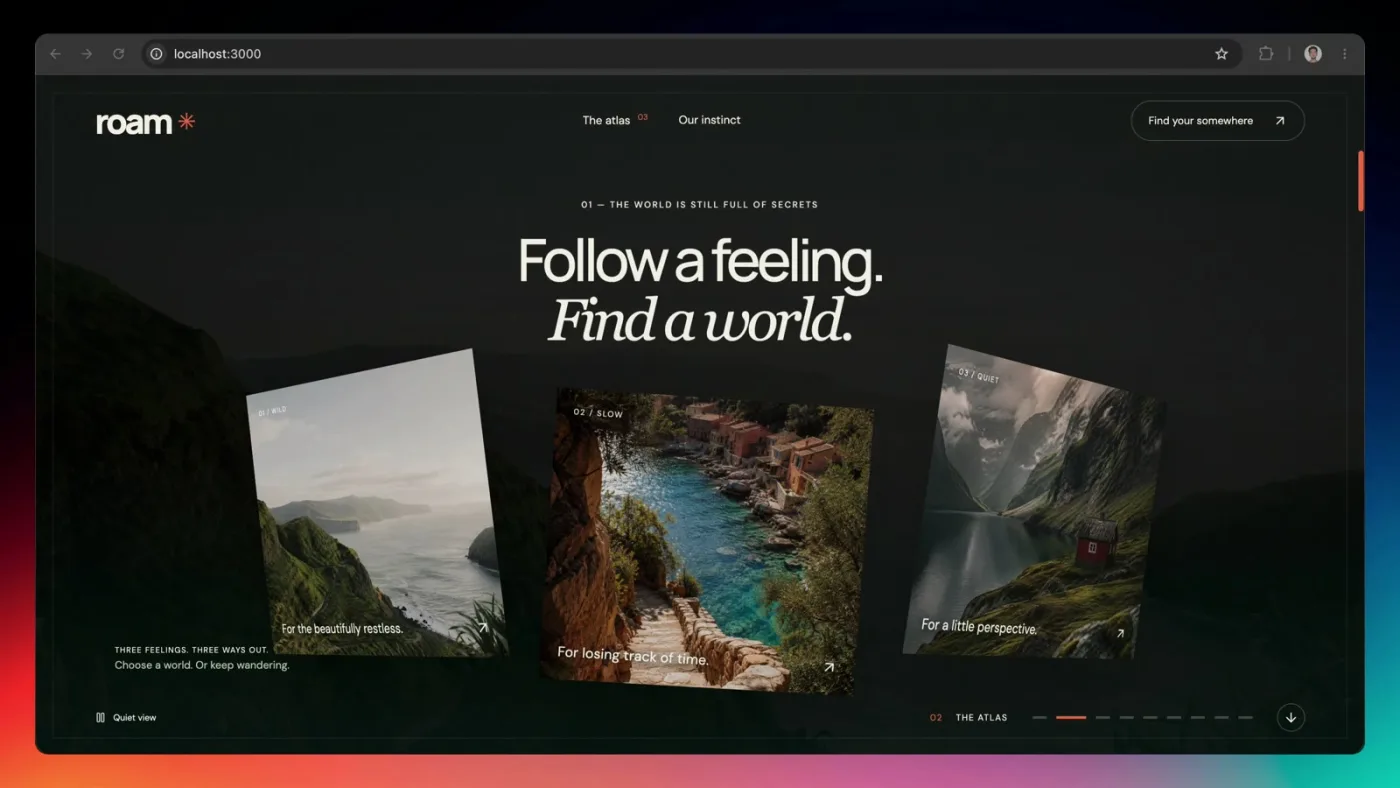
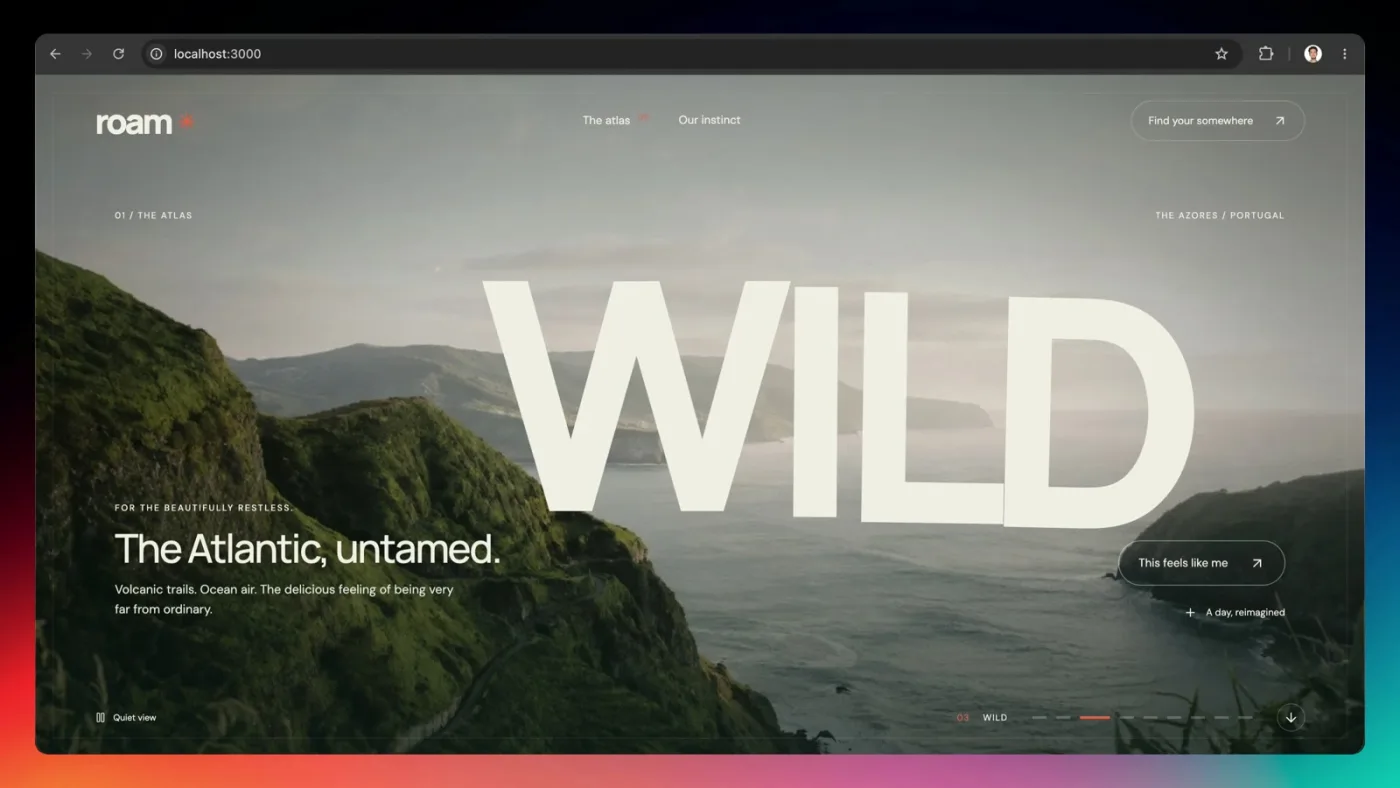
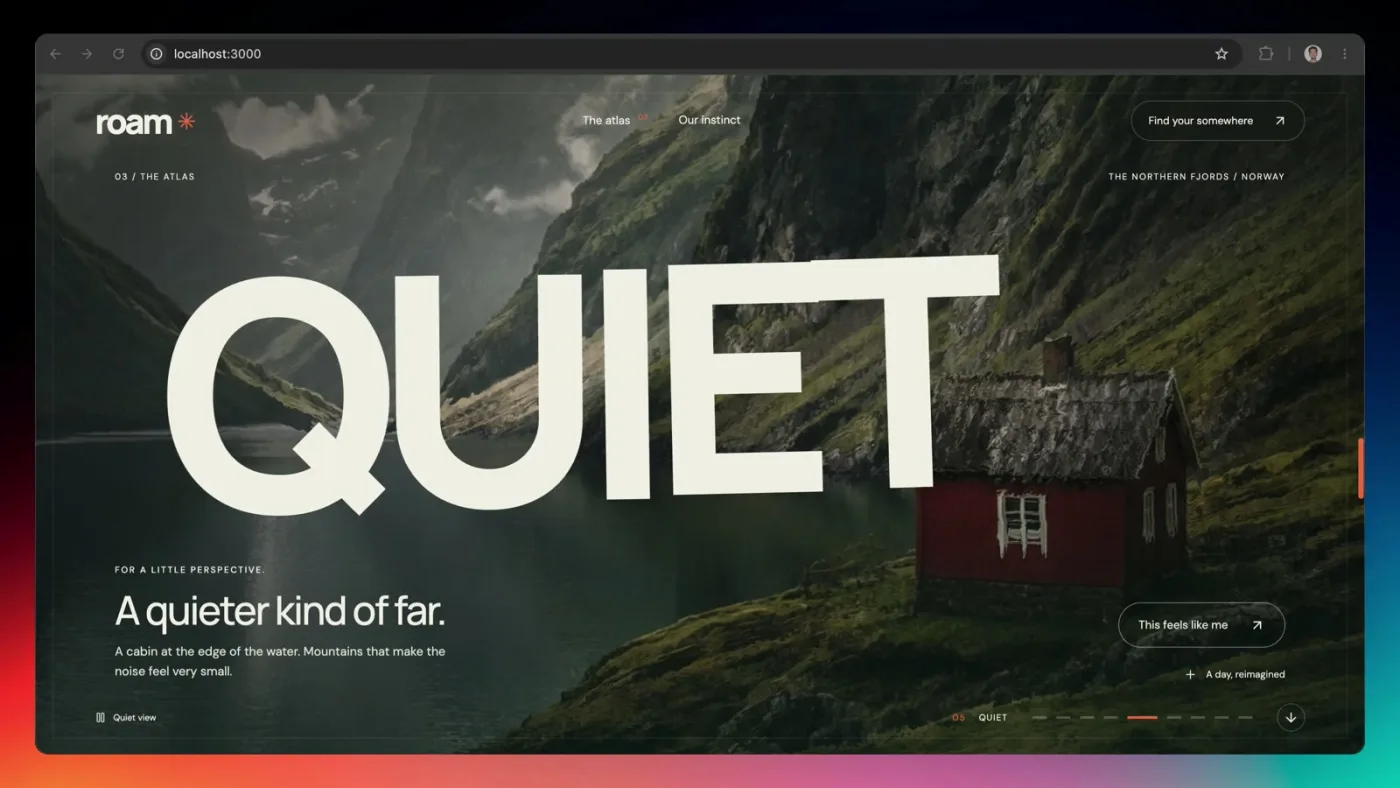
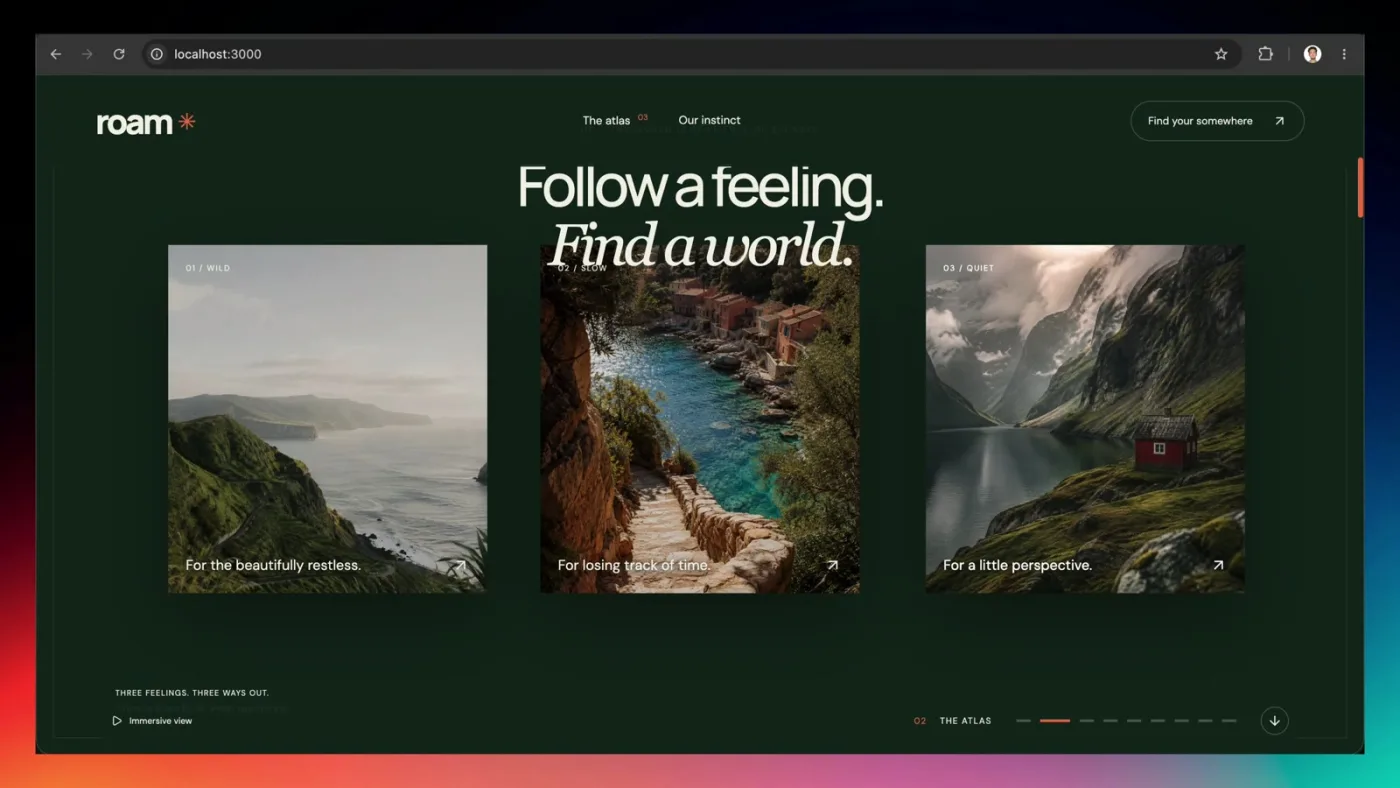
I wanted the page to lean hard on generated imagery and interactive scroll effects so the visitor gets something cinematic rather than a standard SaaS layout. Astra delivered a full-bleed hero, a card stack that fans out as you scroll, and a series of destination sections with oversized type over Images 2.0 photography.
In my opinion the imagery on this site could pass as real photography. We all know what an AI-slop image looks like, and none of these read that way. Once the hero image existed, GPT-6 layered a cursor-following distortion effect on top of it, so the hero responds to the visitor's mouse. A generated image plus a coded interaction on top of it is the whole point of this workflow.
Astra also kept the type system and the orange asterisk brand mark consistent across every section, including the quieter content blocks that most AI builds get lazy on.
The prompt: one pass, no separate image step
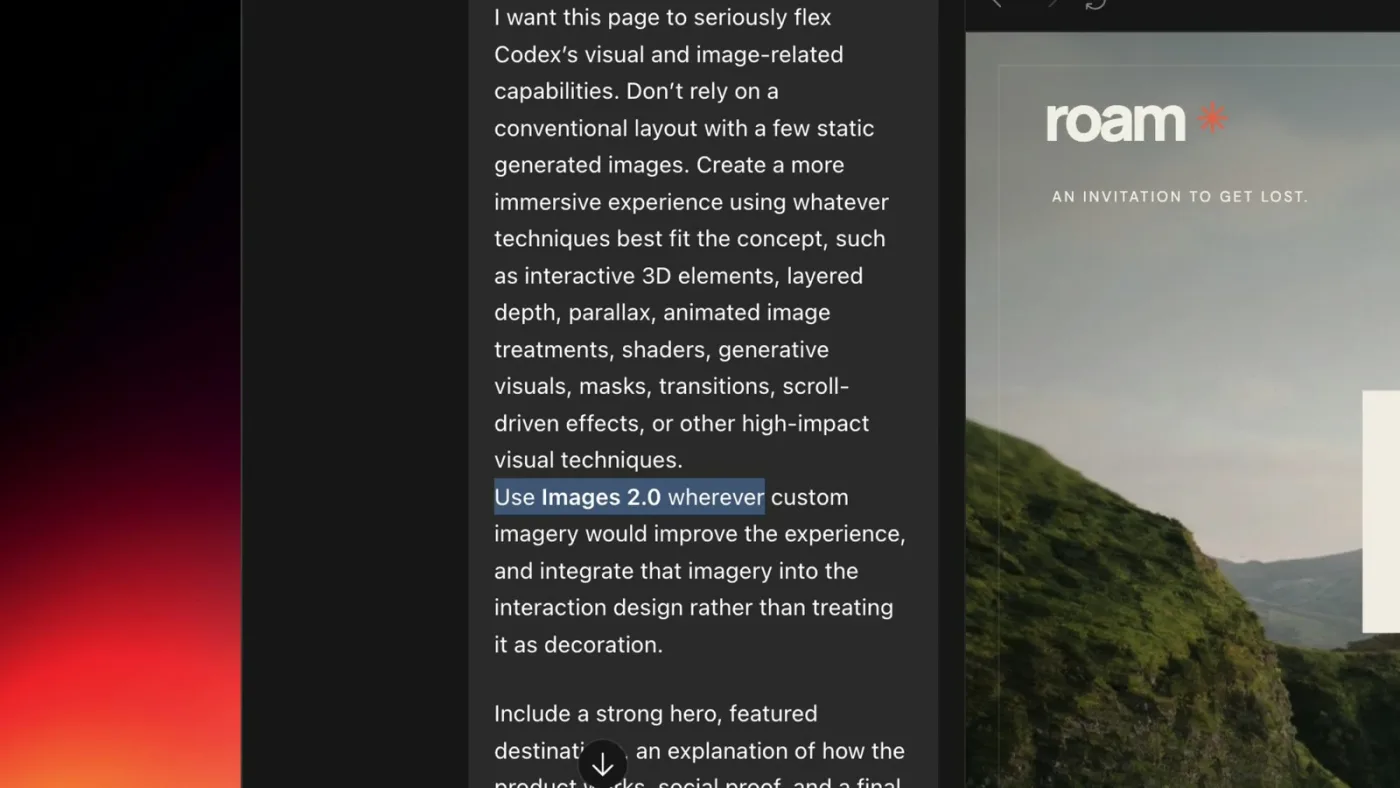
I did not ask ChatGPT to generate images and then bring them into the project. I started with a single prompt, said I wanted the page to seriously flex Codex's visual and image-related capabilities, and included one line: use Images 2.0 wherever custom imagery would improve the experience. I listed the sections I wanted, gave guidance on look and feel, and pasted a few links to websites that do immersive scroll experiences well so it had references to work from.
That is what makes this different from every image workflow I have used before. Image generation stops being a fragmented step before or after the build and becomes part of the design process itself. For more on writing briefs that get good UI out of these models, see How to Prompt AI for Better UI Design
The reference links did a lot of work in that prompt. If you want a repeatable source of them, these are the five reference sites I give agents: Stop Letting AI Design From Scratch: 5 UI Reference Sites
GPT-6 usage limits on the ChatGPT Plus plan
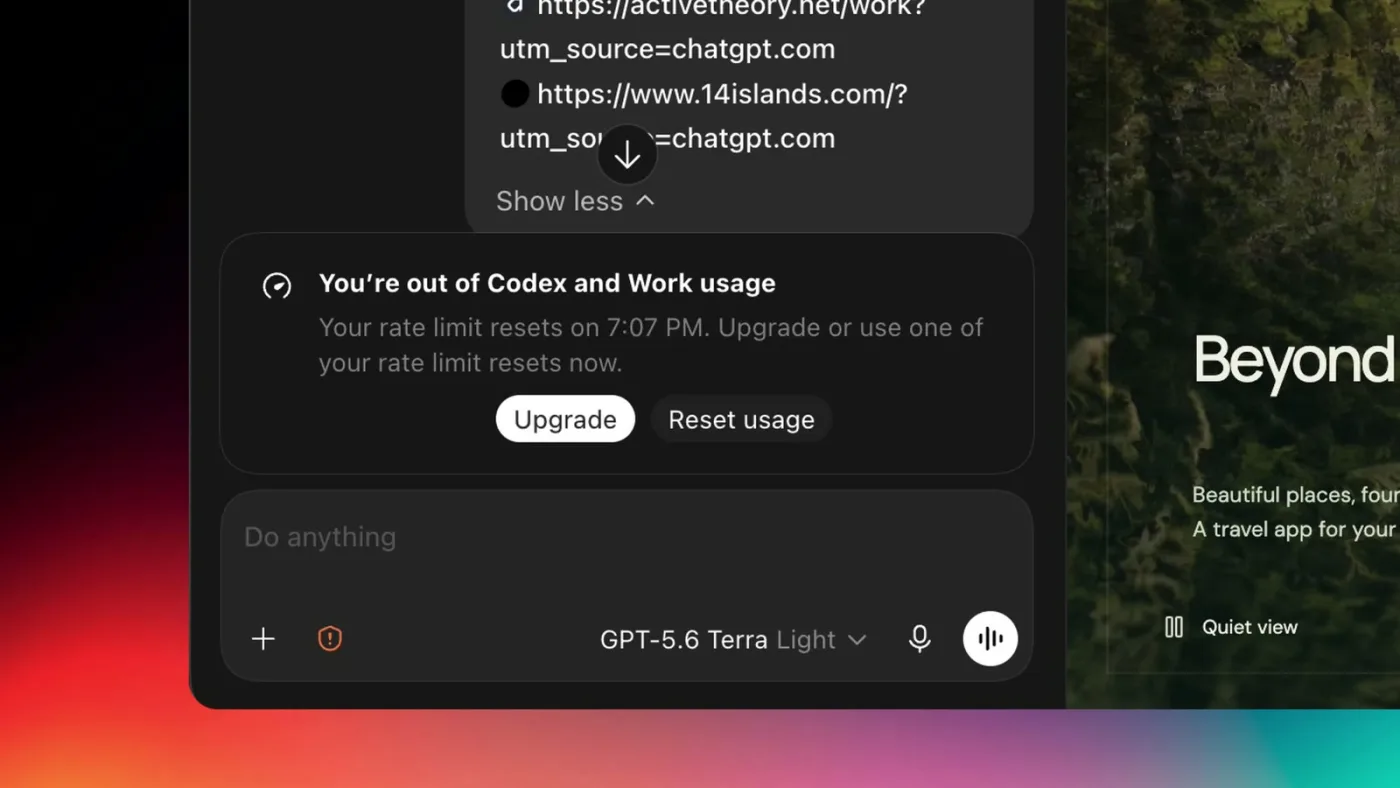
One honest caveat. I hit my Codex usage limit fast, even on light reasoning mode, because of how much GPT-6 consumes per turn. I am on the $20 per month Plus plan. If you are on a Pro plan with 5x or 20x usage you will feel this much less.
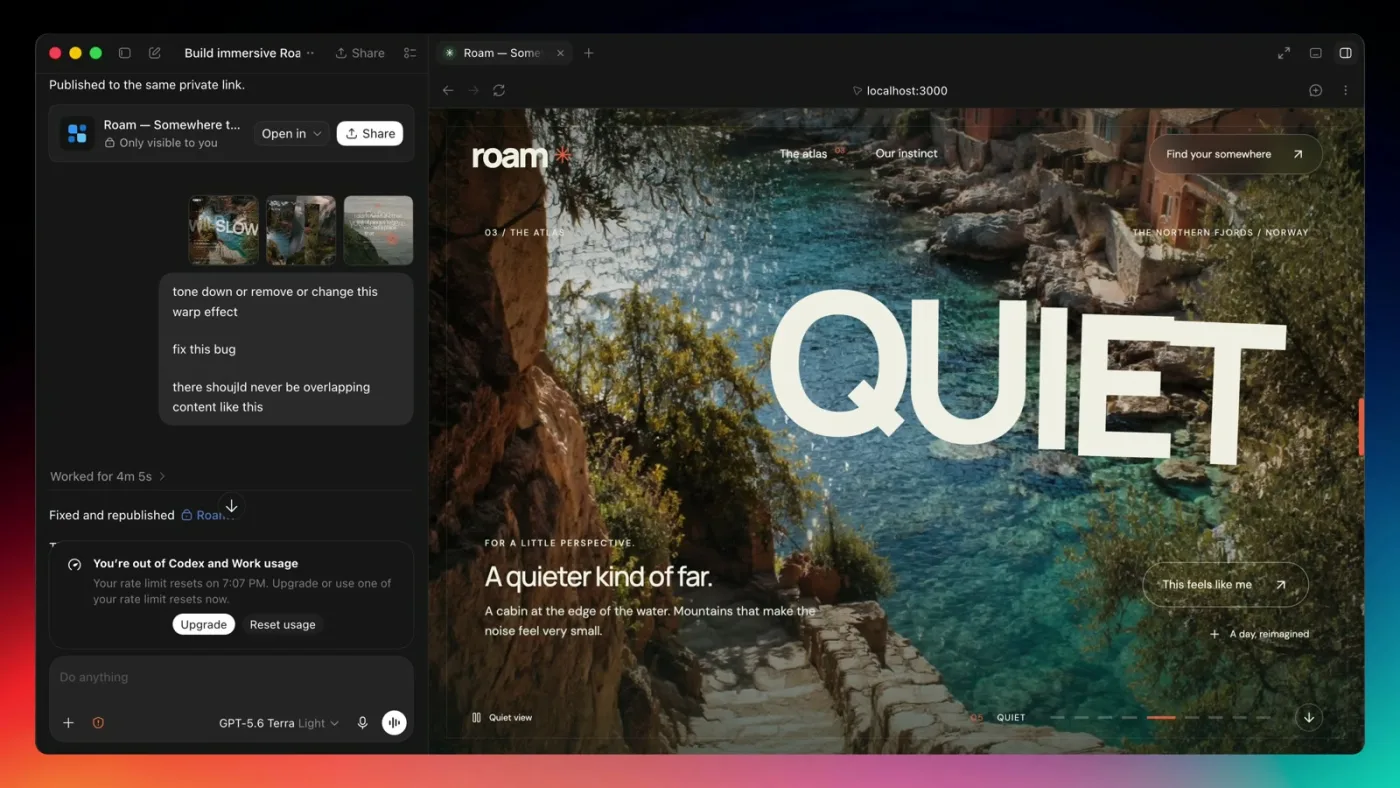
My recommended strategy right now: use GPT-6 Astra for the first prompt only and let it get 90% of the way there. Once the imagery, effects, and section layouts exist, drop to a cheaper model like GPT-5.6 for bug fixes and polish. You do not need the most expensive model to tone down a warp effect.
Add a quiet view to effect-heavy sites
A page this effect-heavy needs an escape hatch. I had Astra add a toggle in the bottom-left corner I call a quiet view. Click it and you land on a near-static version of the same site: no scroll effects, no cursor distortion, same imagery and copy. It is a good option for visitors who do not care about the show and just want to get through the page, and it doubles as a performance mode.
Does it hold up on mobile?
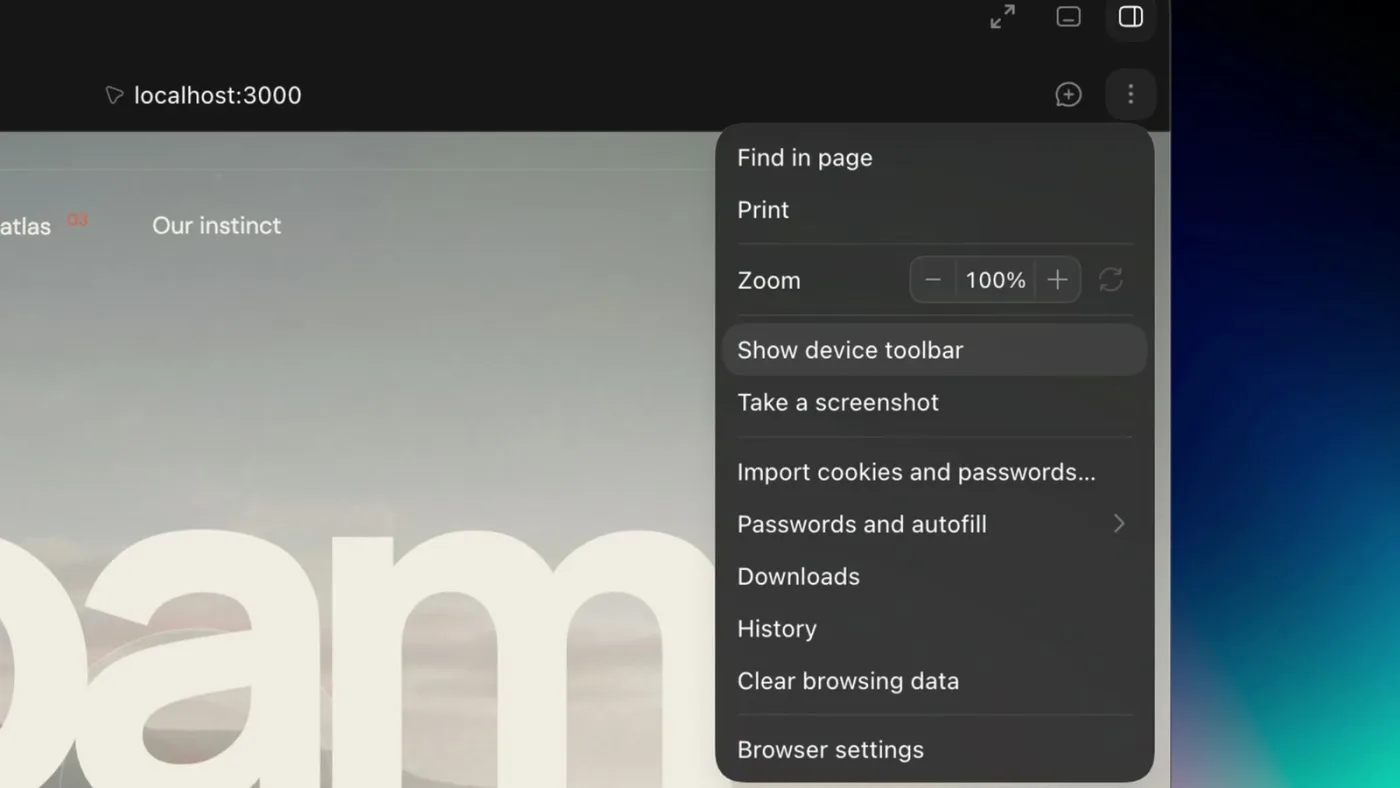
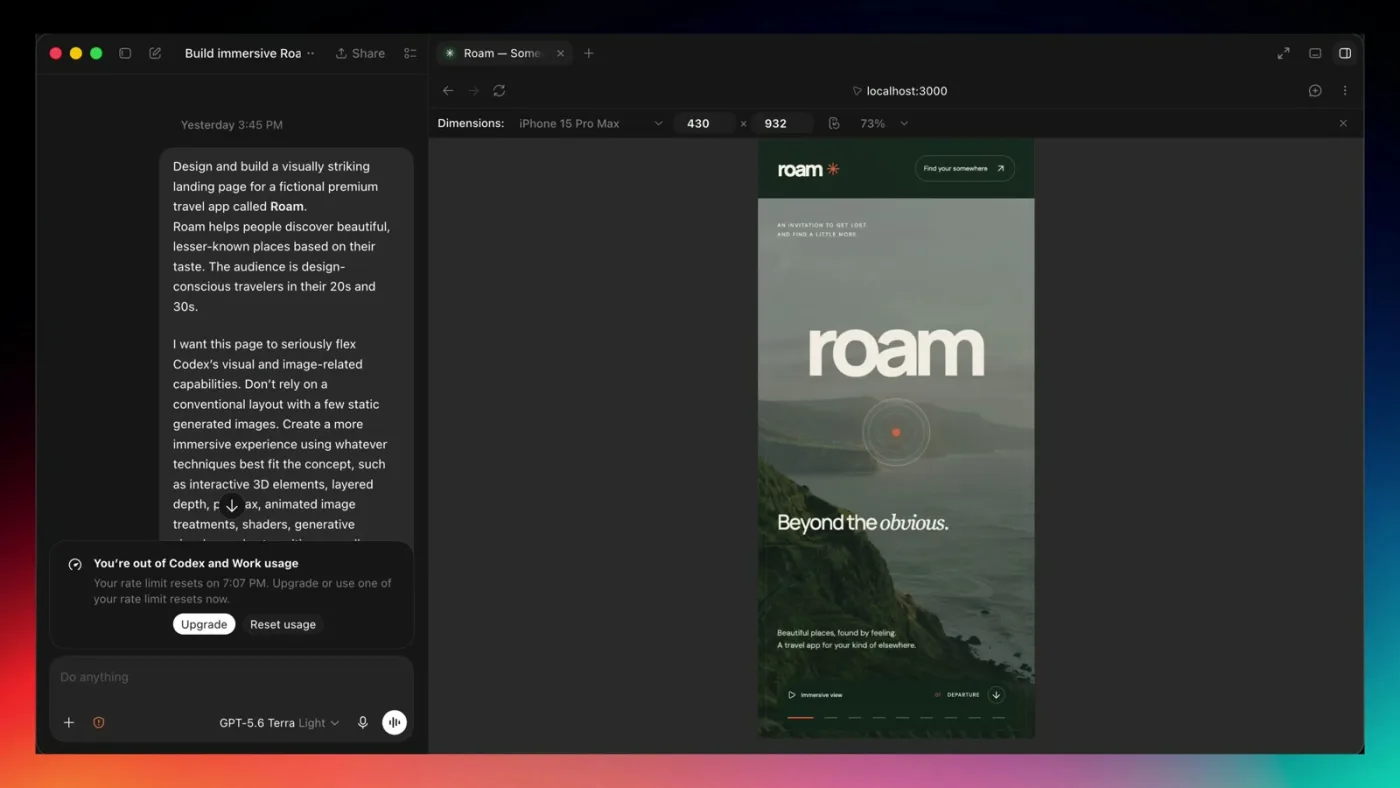
Sites with this many dynamic elements often fall apart on mobile, so I checked it inside Codex's browser using Chrome's device toolbar at iPhone 15 Pro Max width.
A few bugs here and there, but overall a solid interactive mobile experience. The hero, cards, and destination sections all restacked. On a phone I would still prefer the quiet view so the imagery gets the attention and the device does not have to run every effect.
Results at a glance
Final verdict: is GPT-6 Astra good for web design?
Yes, and the bigger story is the combination of capabilities. Astra being better at coding or reasoning is useful, but designers already have very capable models for that. What makes this workflow powerful is giving the model Images 2.0 and letting it treat imagery as part of the design process. It can decide what visuals it needs, generate them, build the interface around them, and layer on animation, shaders, 3D, and interactions that would normally take several tools.
This does not replace taste or strong creative direction. If anything those get more important as the tools get more capable. But the gap between having an idea and producing a solid, visually rich experience is getting ridiculously small, and for designers that is the part of GPT-6 Astra worth paying the most attention to.
For the broader stack of tools I use alongside Codex, see my complete AI design tools guide: AI Design Tools for Designers (2026): The Complete Guide
FAQ
Yes. In this test it produced a coherent, image-heavy landing page with scroll effects, a cursor-following hero, and consistent typography from a single prompt. Its real advantage is having ChatGPT Images 2.0 built in, so it can generate custom imagery as part of the build.
Images 2.0 is OpenAI's image generation model, available inside ChatGPT and Codex. In this workflow GPT-6 called it directly to create hero and section photography that fit the art direction, with no separate image step.
On OpenAI's benchmarks Astra scores higher and costs about 56% less per task. For design work the deciding factor was imagery: Codex has a native image model and Claude Code does not. For pure UI judgment both are strong, and I still use Claude Code for most of my work.
Yes. Add a line like use Images 2.0 wherever custom imagery would improve the experience to your prompt, and Codex will generate and place images as it builds the page.
Use Astra for the first prompt only, then switch to a cheaper model such as GPT-5.6 for bug fixes and polish. Pro plans with 5x or 20x usage feel the limits far less than the $20 Plus plan.
Mostly. At iPhone 15 Pro Max width the page restacked correctly with a few bugs. For effect-heavy sites, ship a quiet view toggle that disables scroll and cursor effects.