
The best AI UI design reference sites
The best AI UI design reference sites in 2026 are Mobbin for real product research, Refero for complete user flows and visual styles, 21st.dev for production-ready components, Transitions.dev for motion patterns, and Beautiful UI for AI-native interface components.
AI coding tools can build interfaces quickly, but speed is not the same as taste. Ask an agent to design from scratch and you will usually get the same cards, gradients, layouts, and color palettes. The fix is not a 500-word prompt full of adjectives. The fix is giving the agent better evidence.
Mobbin sponsored the video and the Mobbin links in this article are affiliate links. I may earn a commission at no extra cost to you. The recommendations and workflow are my own.
Why AI-generated UI looks generic
An AI agent is excellent at implementation, but it cannot infer your product's visual direction from words like clean, modern, or premium. Without references, it falls back to the patterns most common in its training data. That is why unrelated AI-built products often feel strangely similar.
Reference-first design separates the problem into three layers: research the patterns that already work, choose components with more character than the default output, and add motion deliberately. The five resources below each solve one part of that stack.
Refero: complete UX flows and Design.md inspiration
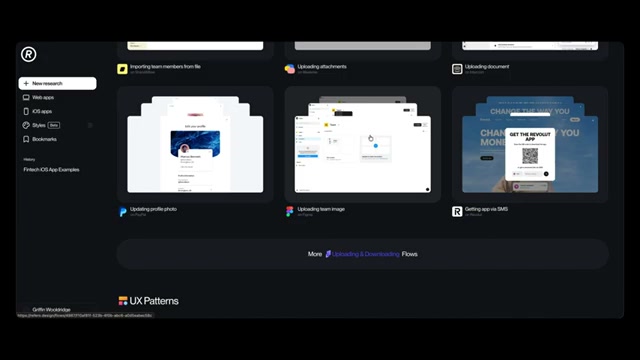
Refero is useful when you need to understand how an experience works, not just how one isolated screen looks. Its library includes real web and iOS products from companies such as Stripe, Coinbase, Mercury, Figma, GitHub, and Webflow. You can browse screens, but the valuable part is seeing an entire flow: subscribing, uploading, personalizing, adding to cart, or completing onboarding.
That sequence gives an agent interaction context. Instead of asking it to invent an upload flow, you can point to a proven example and explain what to preserve or change.
Refero's Styles feature is particularly relevant for AI-assisted design. It turns the visual language of a real site into a markdown-style design specification covering typography, color, layout, border radius, and other system decisions. Give that file to an agent and it has a much clearer target than a screenshot plus a few taste words.
Explore Refero: refero.design
Mobbin: the best overall UI reference library for AI agents
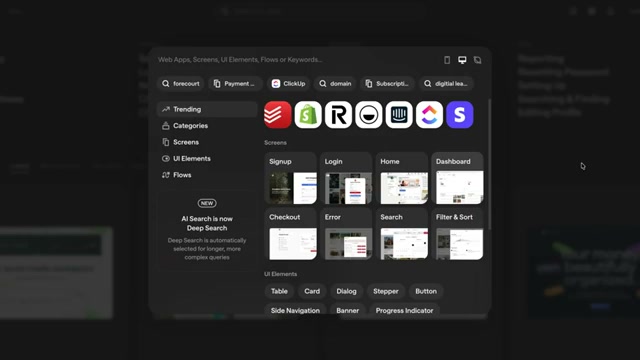
Mobbin is my default starting point because its library is both enormous and deeply searchable: more than 1,400 apps, 620,000 screens, and 320,000 flows at the time of recording. It covers individual screens, UI elements, complete flows, web products, and mobile apps.
Deep Search is the differentiator. A query such as “empty states that encourage users to create their first project” returns examples that match the intent, not only a keyword or category. That lets you research a design problem at the level you would actually discuss it with another designer.
The Mobbin MCP removes the manual handoff. I can ask Claude Code to find friendly, trustworthy fintech references, compare the strongest examples, and build a visual report explaining the patterns that create trust. The agent can link every recommendation back to the real screen in Mobbin, so the result is useful research rather than invented mood-board filler.
For setup and a full MCP walkthrough: Mobbin MCP: 600,000+ Real References Inside Claude Code
21st.dev: real UI components as code
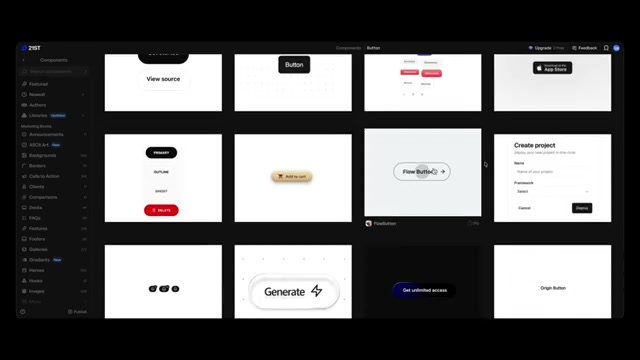
Refero and Mobbin show an agent what good products look like. 21st.dev gives it components it can actually implement. Each example is real code rather than a flattened screenshot, and you can copy the source, copy an agent-ready prompt, or optimize the instruction for the coding tool you use.
The components span landing-page sections such as heroes, features, and pricing as well as product UI including dashboards, sign-up screens, toggles, sliders, and navigation. Importantly, you do not have to accept the component's original styling. Bring the structure into your project, then tell the agent to adapt its typography, spacing, tokens, and states to your existing design system.
This is how you escape the default AI component vocabulary without rebuilding everything by hand. The 21st.dev MCP can also expose the library directly inside a compatible agent.
Browse components on 21st.dev: 21st.dev
Transitions.dev: motion references for AI-built interfaces
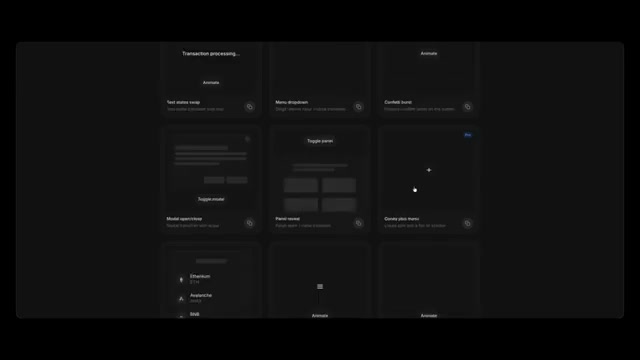
Motion is one of the easiest ways to spot an interface that was generated without design direction. Agents often ignore animation entirely or add movement that feels arbitrary. Transitions.dev provides a focused library of useful interface transitions that can be copied as production code.
The library includes a generous set of free patterns, with additional examples on the Pro plan. More importantly, Transitions.dev offers an installable skill containing the motion patterns from the site. A one-line install can give Claude Code, Codex, Cursor, or another compatible agent concrete examples of how responsive, purposeful UI motion should behave.
Use it near the end of a build, after the structure and visual system are stable. Motion should clarify state changes and hierarchy, not distract from an unresolved layout.
Explore Transitions.dev: transitions.dev
Beautiful UI: components for AI-native products
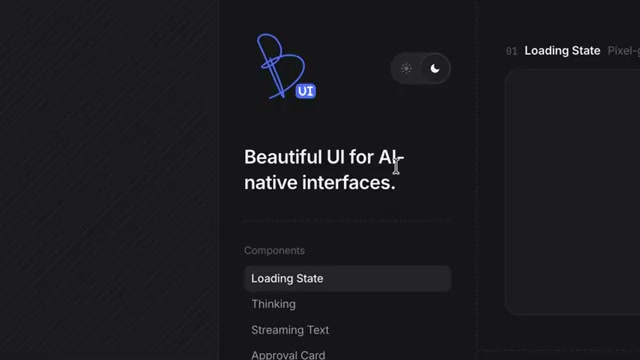
Beautiful UI is the most specialized resource in this list. It focuses on components for products where the end user interacts with AI: chat experiences, generative states, search, insights, flowcharts, navigation, and other patterns that traditional component libraries often do not cover well.
The design and interaction quality make it valuable even when you are not building an AI product. You can use it as a reference for restrained color, typography, animation, dense information, and polished state changes. Design engineers can copy the code directly; designers can point an agent at a pattern and ask it to reproduce the behavior inside their own system.
Explore Beautiful UI: beautifului.dev
A practical reference-first AI UI workflow
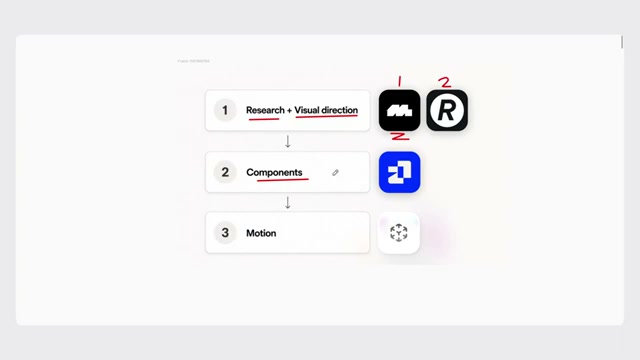
The tools work best as a sequence rather than five disconnected bookmarks.
- Research and visual direction: use Mobbin first, then Refero when you need additional context or a complete flow. Ask the agent to explain the patterns it finds before it starts drawing.
- Components and implementation: use 21st.dev after the direction is clear. Bring in selected components and adapt them to your tokens instead of asking the agent to invent a design system from scratch.
- Motion and interaction: use Transitions.dev once the product is nearly complete. Add movement where it explains a change, reinforces hierarchy, or makes an interaction feel responsive.
- AI-specific patterns: add Beautiful UI when the product includes chat, generation, agent activity, insights, or other AI-native behavior.
This workflow is agent-agnostic. It works with Claude Code, Codex, Cursor, or any tool that can inspect references and implement code. The important change is the order: evidence first, components second, motion last.
Two things make this stick across a project. First, write the visual rules you settle on into an AGENTS.md so the agent applies them every time: How to Write an AGENTS.md File for Design Projects
Second, brief with references instead of adjectives, which is the whole point of my prompting guide: How to Prompt AI for Better UI Design
I ran this exact workflow with Claude Fable 5.1 on a redesign of this site: I Tested Claude Fable 5.1 as a UI Designer
FAQ
Mobbin is the strongest all-around choice because it combines a very large library, intent-based Deep Search, complete product flows, and an MCP that lets an agent research without leaving the session.
Start with links or screenshots and describe which patterns matter. For a repeatable workflow, connect an MCP such as Mobbin or Refero, and store your own visual rules in an AGENTS.md or design markdown file.
No. Use the component's structure and behavior as a starting point, then adapt its tokens, typography, spacing, responsive behavior, accessibility, and states to your product's design system.
They raise the quality of the evidence and implementation options, but you still need design judgment. Choose references for a reason, explain the patterns worth borrowing, and review the result instead of asking the agent to imitate a screenshot blindly.
Transitions.dev is the most focused option in this list. Its copyable patterns and installable skill make it useful for teaching an AI coding agent how polished interface motion should behave.