

Overview
The video above is my Canvas 26 walkthrough: the MCP server, AI prototypes and the agentic Sidekick. The question that kept coming back was the practical one: how do I connect this to Claude, and what does Claude do once it is connected? This is that post.
Short version: add Miro as a connector in Claude, or run one command in Claude Code, sign in once, and Claude can search your boards, summarize what is on them, and write structured content back. It is available on every Miro plan, including Free, with a daily call limit that scales with the plan. The best use I have found is turning a messy research board into a synthesis Claude can act on.
If you want the wider workflow, where Flows and Sidekick sit alongside the MCP, that is a separate post and video: AI Design Workflows in Miro: Flows, Sidekick and Claude MCP
Setup steps, plan limits and tool names checked September 2026 against Miro's developer docs and pricing page. Miro is retiring several older MCP tools on September 14, 2026, so the tool list changes this month.
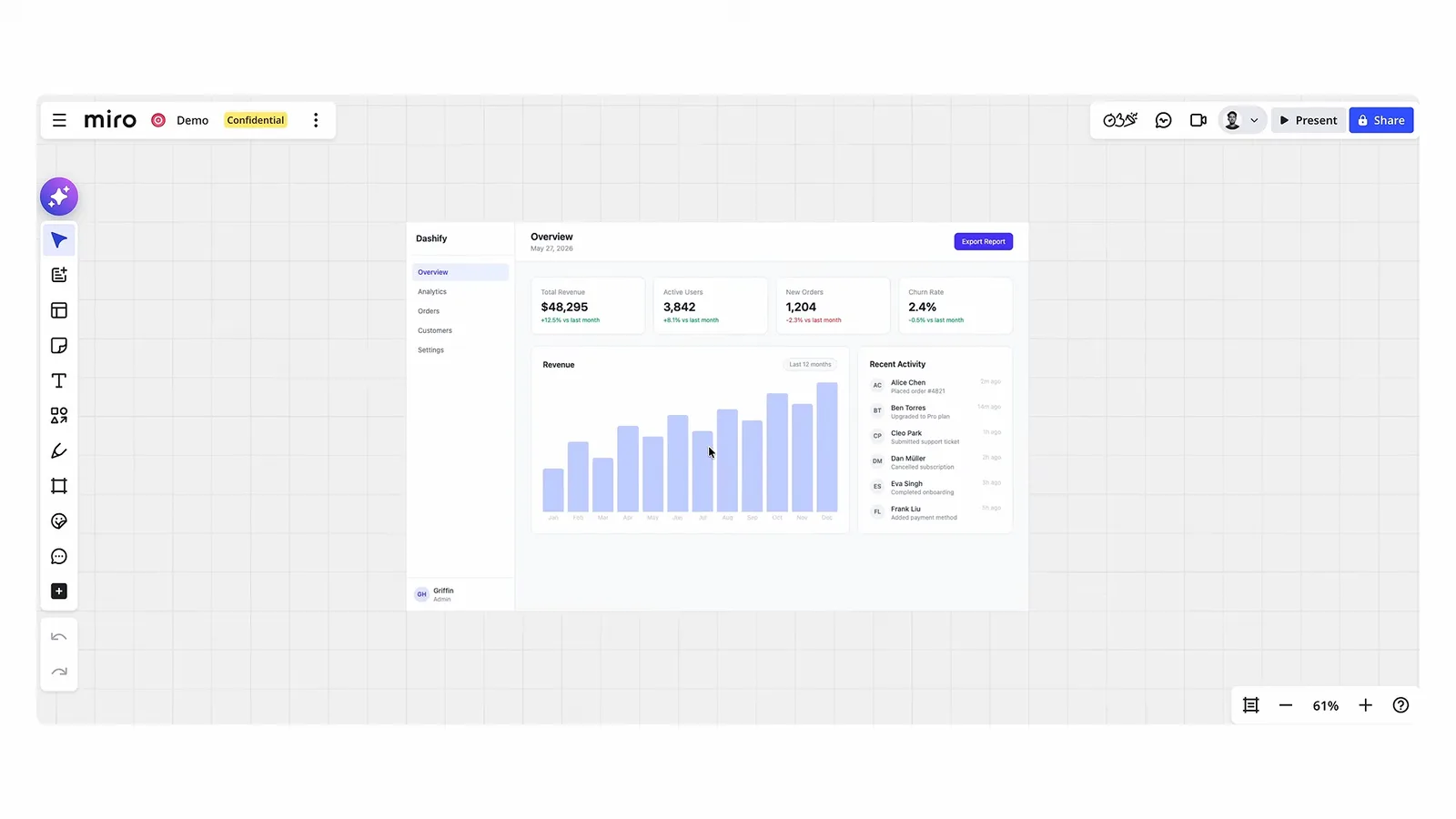
What is the Miro MCP server?
It is a remote MCP server hosted by Miro at https://mcp.miro.com. Any client that supports remote MCP with OAuth 2.1 can connect: Claude, Claude Code, Cursor, Codex and ChatGPT, Gemini CLI, VS Code with Copilot, Windsurf, Replit, Lovable, Kiro and Amazon Q are all documented. You authenticate with your own Miro account, pick one team, and the agent gets the same board access you have. Nothing more, nothing less.
The MCP does not give Claude a special view of Miro. It gives Claude your view. If you cannot open a board, neither can Claude. If a board is editable for you, Claude can edit it too, so treat prompts that write to shared boards with the care you would give a teammate using your login.
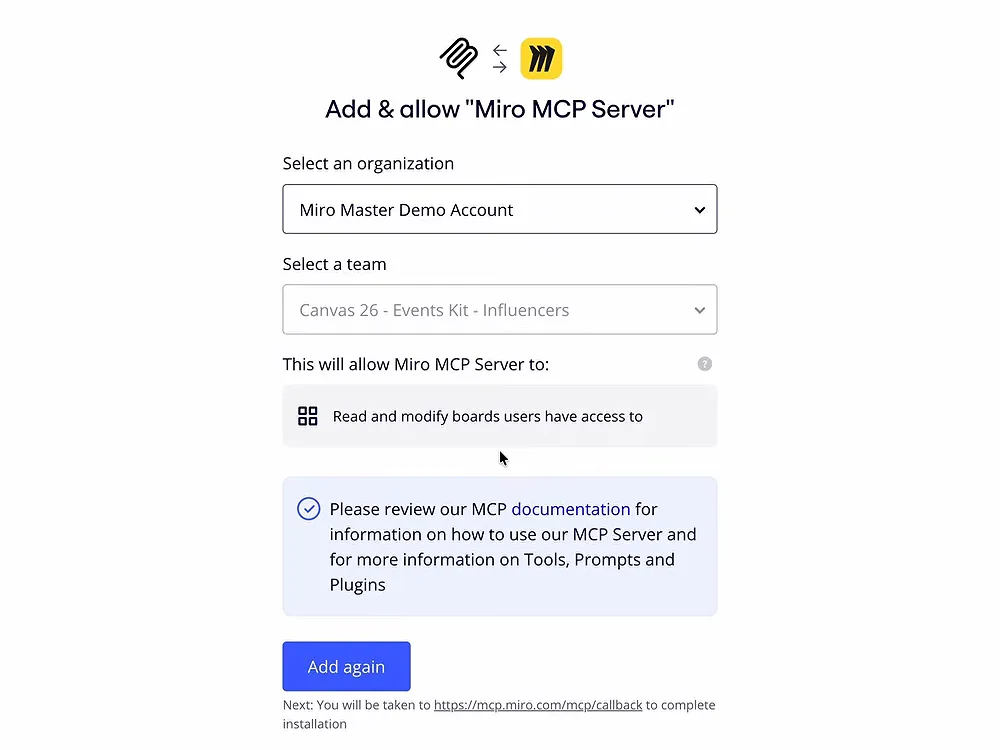
How do I connect it to Claude and Claude Code?
In Claude (web or desktop app):
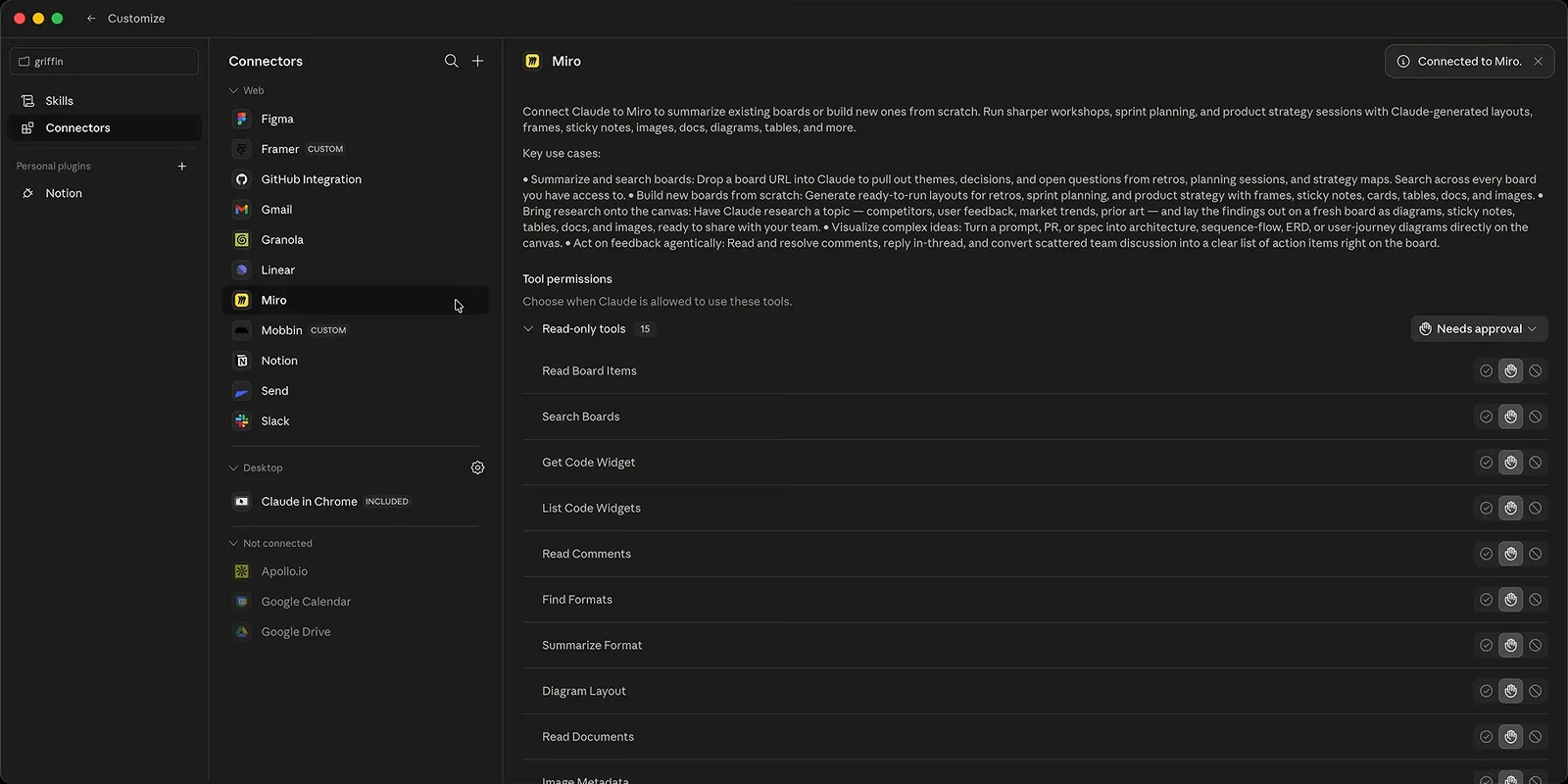
- Step 1: In a chat, open the plus menu and choose Add connectors, then search for Miro.
- Step 2: Click Connect. A browser window opens for Miro's OAuth flow; sign in and approve access.
- Step 3: Select the Miro team whose boards you want Claude to reach. The connection is scoped to that one team.
- Step 4: Back in the chat, paste a full board URL into your prompt. Miro's docs say to include the whole URL rather than the board name.
In Claude Code, from the terminal:
- Step 1: Run
claude mcp add --transport http miro https://mcp.miro.com(or install Miro's plugin withclaude plugin install miro@claude-plugins-official). - Step 2: Start a session and approve the OAuth sign-in when the browser opens. Pick the team.
- Step 3: Run
/mcpand confirm miro shows as connected, then prompt with a board URL.
Two gotchas from Miro's FAQ. Each user is authenticated into one team at a time, even across multiple clients, so switching teams means re-authenticating. And on Enterprise, the MCP server is off by default until an admin turns it on under Admin settings, Apps & Integrations, MCP.
What can Claude read and write on a board?
Reading is broad. Claude can search the boards you have access to, list the items on a board with filters by type, read comments, and pull images. Miro's board summary uses Miro AI, so it needs Miro AI enabled and it consumes AI credits; the rest of the read tools do not.
Writing goes through what Miro calls Canvas tools: the agent describes board content as SVG and Miro turns it into native items. Through that route Claude can create frames, sticky notes, shapes, text, cards, docs, tables (including timeline and kanban views), Mermaid diagrams, code widgets, embeds and images from public URLs. It can reply to and resolve comments, and it can create and read prototypes from HTML screens. Miro's FAQ notes custom shapes are not supported yet.
The older dedicated tools (diagram_create_mermaid, doc_create, table_create, layout_create) are deprecated and stop working on September 14, 2026. If a tutorial tells Claude to call one of those by name, it is out of date; ask for the diagram or table in plain language and let the Canvas tools handle it.
Research synthesis from sticky notes: the workflow that pays off
This is the use I would start with, because it turns Miro's weakness (a hundred sticky notes nobody rereads) into an input Claude is good at.
The prompt shape: give Claude the board URL, tell it which frame holds the raw notes, and ask for a specific structure back. "Read the sticky notes in the frame called Interview Notes on this board. Group them into themes, name each theme, count the notes behind it, and quote the two clearest notes per theme. Then write the result to a new frame to the right called Synthesis, one card per theme." Naming the frame and asking for counts and quotes keeps Claude honest; a summary without the underlying notes is where hallucinated themes creep in.
From there the board stays the source of truth. The synthesis sits next to the raw notes, teammates comment on the cards, and Claude reads those comments on the next pass.
Board to prototype: does the Prototypes feature hold up?
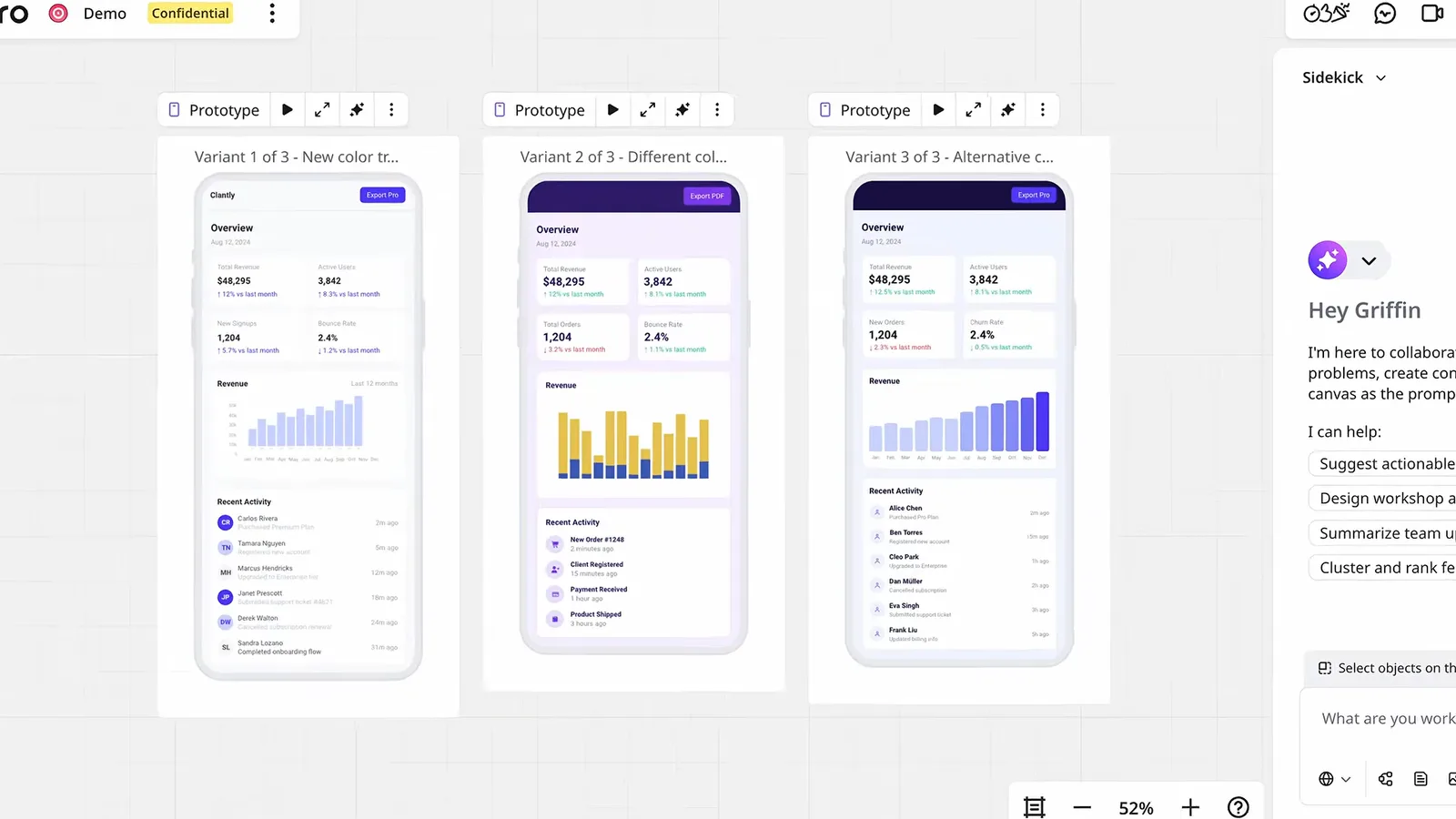
Miro Prototypes, announced at Canvas 26 on May 19, 2026, let you generate prototype variants on the canvas, apply brand styling, and export the finished one to a coding agent or to Figma. Through the MCP there are two matching tools: one creates a prototype from HTML screens, one reads the screens and metadata back.
This is a canvas for comparing directions, not a replacement for building. The loop that works: synthesize research on the board, have Claude draft two or three directions as HTML, drop them in as prototypes so the team can react side by side, then hand the winner to Claude Code. Prototypes are a Business and Enterprise feature on Miro's pricing page.
For the build step itself, where the agent needs your design system rather than a Miro board, start here: Claude Design Tutorial for Beginners (Full Walkthrough)
Sidekick vs Claude via MCP: when to use which?
They overlap less than the marketing suggests.
Sidekick lives inside Miro. Since Canvas 26 it behaves like an agent: it reads intent, pulls context through Miro's connectors, breaks work into steps, asks clarifying questions, and generates board content from one prompt. It costs Miro AI credits (two per prompt) and is fully included on Business and Enterprise. Use it when the task starts and ends on the canvas.
Claude via MCP lives outside Miro, in the tool where the rest of your work already is. It can hold a long conversation, reference files and repos, chain the board with other MCP servers, and write results back. Use it when Miro is one input among several: research on the board, components in a repo, references from Mobbin, a build at the end.
Limits and gotchas
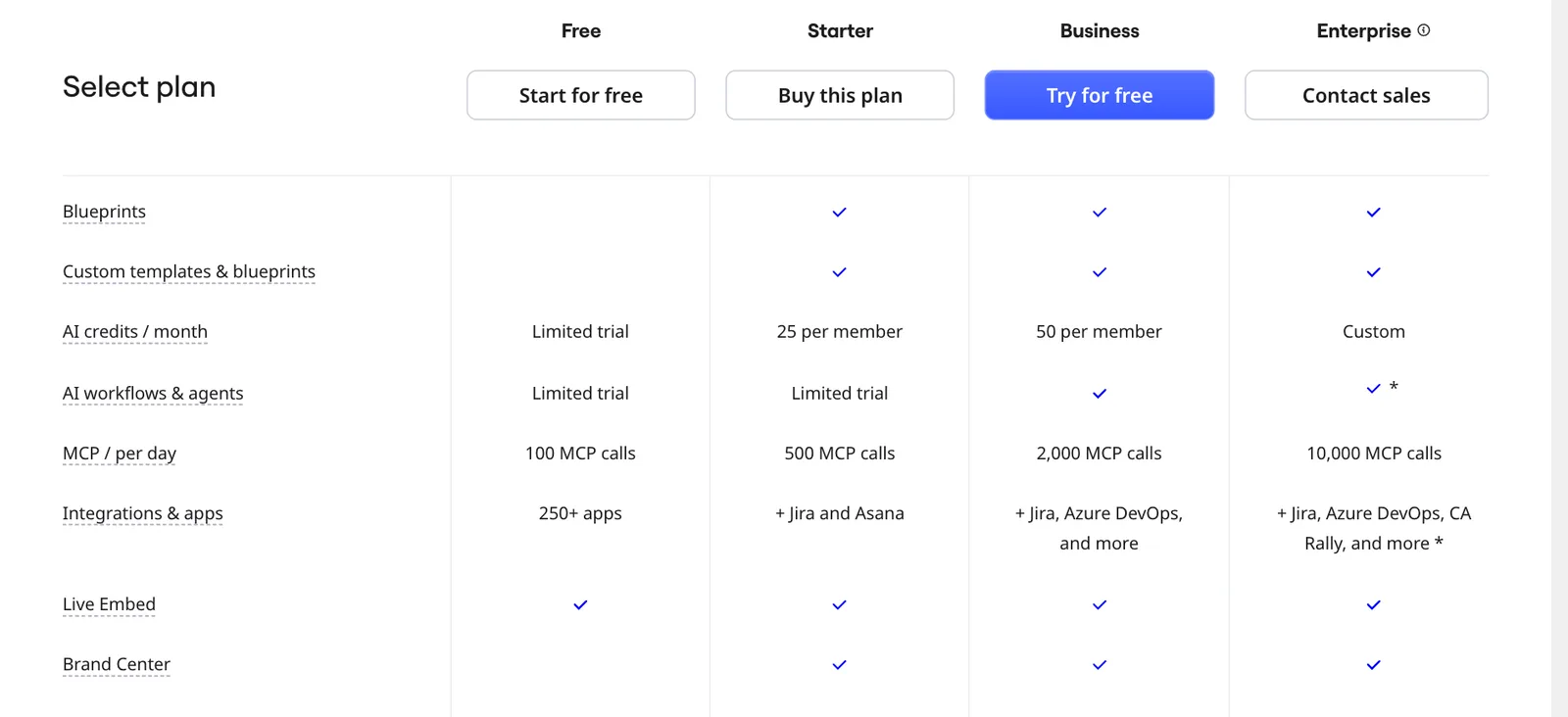
- Daily MCP calls per plan, from Miro's pricing page: 100 on Free, 500 on Starter, 2,000 on Business, 10,000 on Enterprise. A synthesis pass on a big board can take a few dozen calls, so Free is enough to try it and not enough to live in.
- One team per connection. Agencies with boards across client teams will be re-authenticating a lot.
- Board summaries and Sidekick prompts spend Miro AI credits: a limited trial on Free, 25 per member a month on Starter, 50 on Business (Miro pricing page, October 2026).
- Complex layouts often need a second pass. Ask for a frame, check it, then ask for adjustments rather than expecting a finished board from one prompt.
- Enterprise admins can restrict the MCP to selected teams, and audit tooling for MCP activity is still, in Miro's words, evolving.
Plans are $8 per member per month on Starter and $20 on Business, billed yearly, as of September 2026.
FAQ
Yes. Miro says the MCP server works on all plans, including free teams. The limit is calls per day: 100 on Free, 500 on Starter, 2,000 on Business and 10,000 on Enterprise. Board summaries additionally use Miro AI credits.
Yes. Run claude mcp add --transport http miro https://mcp.miro.com, approve the OAuth sign-in, choose a team, and confirm the server shows as connected with /mcp. Miro also ships a Claude Code plugin.
Sidekick for work that starts and ends on the canvas, especially live sessions; Claude via MCP when the board is one input alongside code, files and other MCP servers. Sidekick spends Miro AI credits; the MCP spends daily calls.
Yes. The MCP has a tool that creates a prototype from HTML screens and one that reads prototype screens back. Prototypes as a feature are included on Business and Enterprise plans.
Miro authenticates each user into one team per connection. To switch teams, disconnect and re-authenticate, choosing the other team.
diagram_create_mermaid, doc_create, table_create and layout_create are deprecated and stop working on September 14, 2026. The Canvas tools replace them.
Where this fits
The Miro MCP is the piece that makes a board an input rather than a dead end. Connect it, start with research synthesis, and graduate to prototypes when the team is ready to compare directions. It is one of a handful of MCP servers I think every designer should run: The Best MCP Servers for Designers (2026)