
Overview
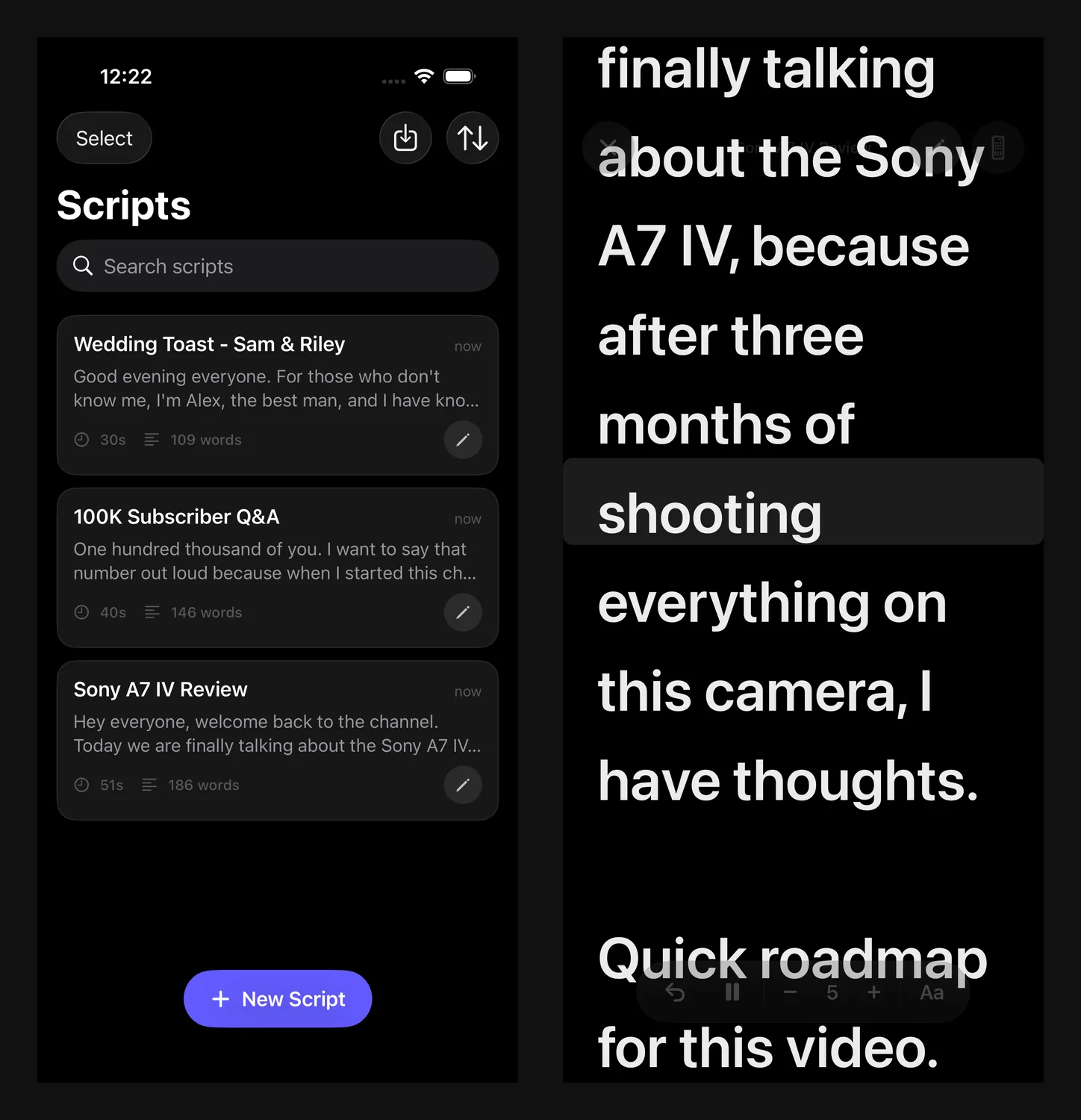
Rolltake is a teleprompter for iPhone. You write or import a script, it scrolls under a fixed reading line so your eyes stay on the lens, and you can record from the front camera with the prompter overlaid. Bluetooth remotes, a mirror mode for beam-splitter rigs, an Apple Watch companion. Everything is on-device: no account, no network, no tracking. Free, native SwiftUI, iOS 17 and up.
I have never written a Swift file by hand. The whole thing was built through Claude Code, deploying to a real iPhone 17 Pro Max on every substantive change. This is the honest version: what Claude Code owned, what I owned, and the bugs that only showed up on hardware.
Why build a teleprompter at all?
Every prompter app I tried either nagged for a subscription, watermarked the take, or made speed a vague slider that meant something different on every script. I wanted one that felt like Apple built it: open it, load your words, press play.
The other reason was the experiment. Designers keep asking whether you can build a real native app with Claude Code and ship it. The App Store listing is the answer.
What Claude Code did, and what I did
Claude Code wrote all the Swift. The stack is native Apple frameworks with no cross-platform layer: SwiftUI, SwiftData for persistence, a CADisplayLink scroll engine, UITextView for text rendering, AVFoundation for recording, CoreBluetooth and GameController for remotes, WatchKit, and a StoreKit 2 scaffold that ships dormant. XcodeGen generates the Xcode project from a project.yml.
It also ran the pipeline: builds, device installs, simulator screenshots, an ffmpeg transcode for App Review, and the App Store Connect submission through Chrome automation, all from the same session.
I did the designer's job. I decided what the app was and was not (no Android, no audio-only mode, no Live Activity, paywall off). I picked the name and the store positioning. I made the calls on speed levels, reading line, themes, and typefaces. And I was the eyes on the device, because the simulator cannot prove camera, haptics, Bluetooth, or rotation.
Product judgment on my side, implementation and tooling on Claude Code's side, the phone as referee. For how I brief Claude Code on visual work in general, see Claude Fable 5 for UI Design: Beautiful Output Every Time
The workflow: a real iPhone in the loop
The loop was edit Swift, xcodegen generate, xcodebuild for the device, xcrun devicectl device install and launch, verify, iterate. Every substantive change went to the physical phone, signed with free provisioning (seven-day expiry, -allowProvisioningUpdates).
Each surface had a job:
- Physical device via devicectl: the source of truth. Performance, feel, camera, haptics, and BLE were only claimed after a run here.
- iOS Simulator: fast functional checks and screenshots. Two limits: it runs on the Mac CPU, so it does not reproduce device-only performance, and its tap injection uses points (402x874 on a 17 Pro), not pixels.
xcrun simctl io screenshot: clean 1320x2868 frames for the 6.9-inch App Store slot.- Chrome automation: drove App Store Connect for the submission.
Tests were a 25-case XCUITest suite covering create, edit, rename, duplicate, delete, sort, search, prompter scroll, sentence navigation, and export. It finished 25 for 25 green with a Release build compiling archive-ready for generic/platform=iOS.
One discipline mattered more than any tool. Claude Code said out loud when the simulator could not prove something. Camera, haptics, Bluetooth, and 180-degree rotation were each flagged as needing my eyes on the device rather than reported as done. If you take one habit from this post, take that one.
The design decisions a designer cares about
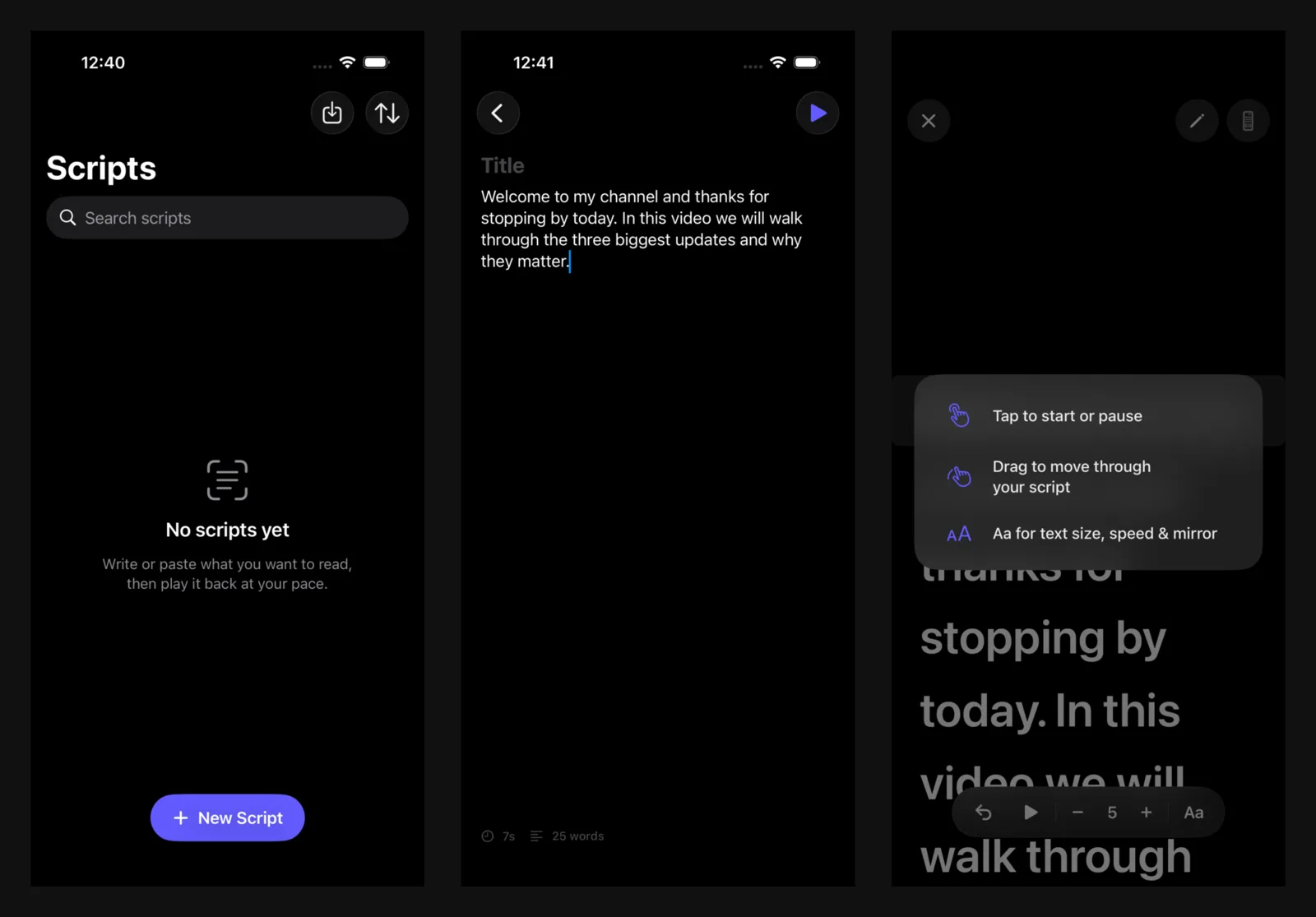
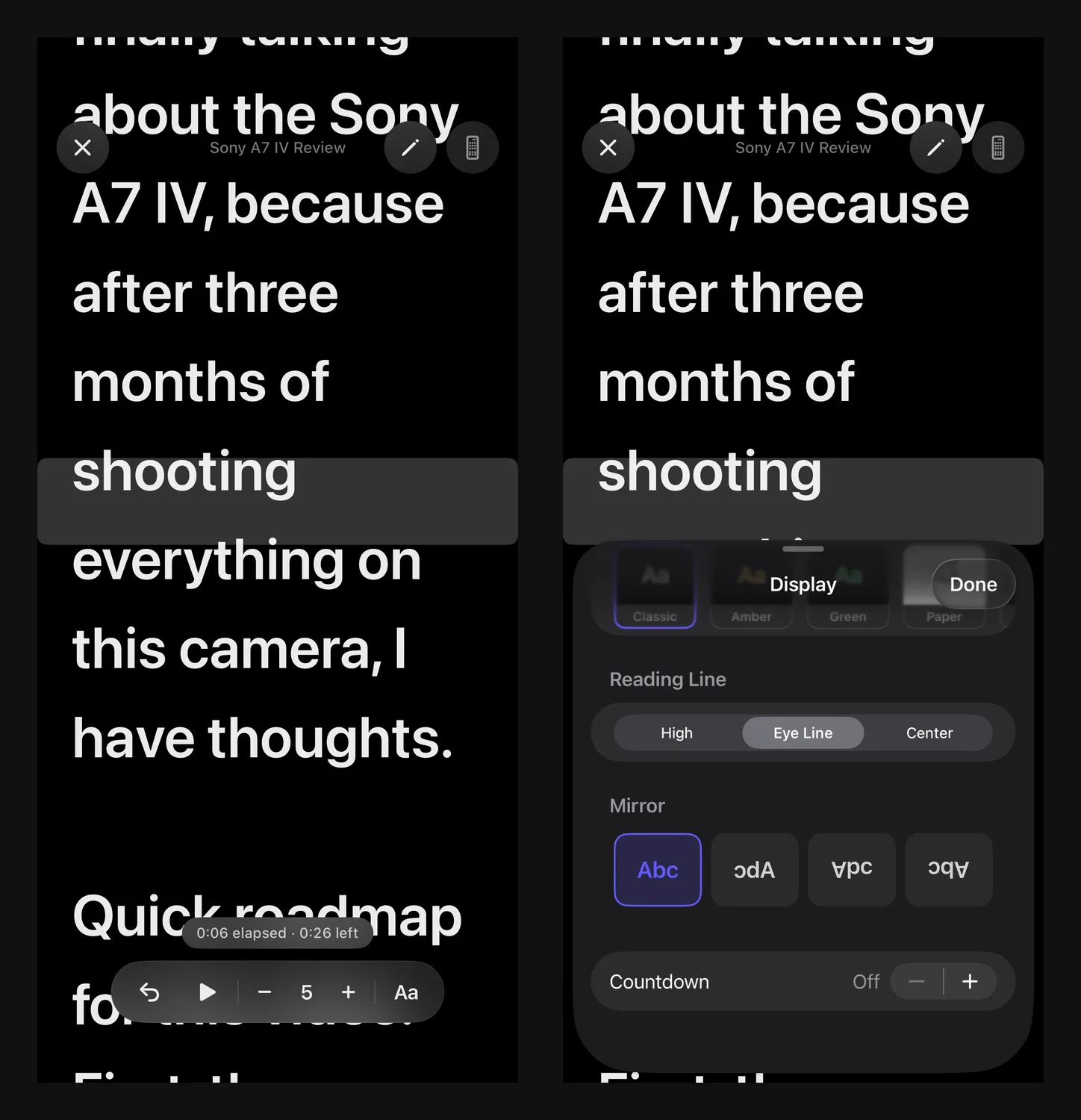
Speed is a 1 to 10 level mapped to lines per second, not words per minute. WPM depends on the script and the font, so the same number scrolls at different visual paces. A level is content-independent and font-aware, so level 5 looks like level 5 on any script. I rejected the WPM display outright.
Appearance lives with the script. Each Script model holds its own font size, line spacing, margin, typeface, theme, reading-line position, speed level, and mirror setting. App-wide last-used defaults live in UserDefaults, so a new script inherits the look you just set.
The polish pass was where the designer role paid off most. The camera-active state became an opaque accent chip with a white glyph so it reads on any background. Slider endpoints became tappable glyphs that nudge one step and repeat on hold. Haptics for record start and stop, countdown ticks, and back-a-sentence. The recording timer moved to top-center, clear of the text. Rename stopped bumping a script to the top of Newest First, because organizing is not authoring.
None of those are engineering decisions. You only notice them with the phone in your hand reading a real script, which is where a designer should be while Claude Code handles the Swift.
What broke
The interesting bugs were one bug in different clothes. In a screen presented from a SwiftData @Query list, every write to the shared @Model triggers an app-wide re-render.
The worst version was a hard freeze on opening a script. The prompter screen's init applied stored appearance defaults to the script, which wrote to the model, which invalidated the list's @Query, which rebuilt the full-screen cover, which ran init again. About 11,600 re-inits in 50 seconds. The simulator never reproduced it: a fresh install had no stored defaults, so the write never ran. Only phones with prior use froze. Assigning an identical value to a SwiftData property still fires a change notification.
After two wrong guesses, Claude Code instrumented it. An on-device perf log flushed a timestamped line at each mark; a main-thread hang stops after the last written line, so the gap points at the culprit. Pulled off the phone with xcrun devicectl device copy from, the log showed thousands of init lines. Render loop, not layout cost.
The same root cause explained a report that speed, typeface, color, mirror, and the sliders were all reverting: init re-ran on every parent re-render and wrote stored defaults back over the user's fresh edit. Moving the apply step into a one-shot onAppear guarded by a @State flag fixed every control at once.
One more. A refactor deferred context.insert until the user typed and pushed an uninserted model into the navigation path; inserting it mid-edit changed its persistent identifier and the script vanished. That broke 13 UI tests in one run, which is how it was caught.
The throughline: treat SwiftData writes as global re-render triggers, keep hot-path edits in local state, never do side effects in a View's init, and verify feel on hardware.
App Store submission and the naming pass
The app started as Cuey, was briefly Rollcue, and shipped as Rolltake. More than 85 candidates were run against the iTunes Search API (the real App Store index), Google Play, PyPI, and npm. Rollcue had two exact App Store collisions. Prompteer collided with an AI-prompting app and a Python package. Rolltake came back clean everywhere, with only a same-name sports podcast in a different trademark class.
The rename then ran across the whole codebase in one pass (directories, targets, bundle IDs, type names, color token, StoreKit product IDs, docs), automated with find -print0 | xargs -0 perl -i and checked with a residual grep.
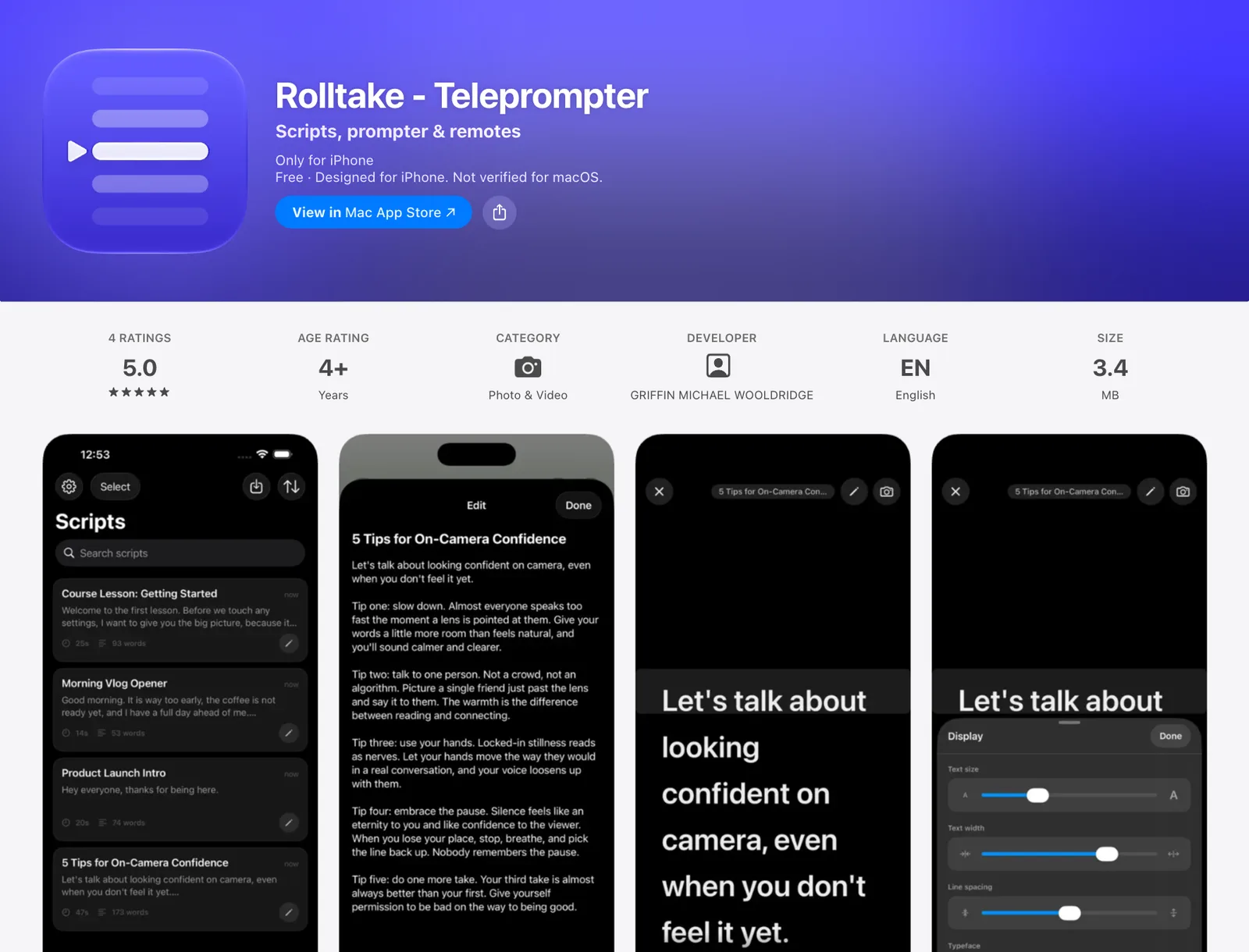
The ASO decision was to list as Rolltake - Teleprompter, brand plus the highest-volume head keyword, so it indexes on "teleprompter" while keeping a defensible brand. The home-screen name stays plain Rolltake. Subtitle is Scripts, prompter & remotes, three feature nouns that are also keyword roots not in the title. Primary category is Photo & Video, where the audience is; secondary is Productivity.
Screenshots were six real in-app frames at 1320x2868. The watch and remote renders built for the landing page stayed out of the store set, because Guideline 2.3.3 requires real app UI.
Apple came back with Guideline 2.1, Information Needed: the routine request for a demo video and written answers on a new app, not a bug rejection. No code changed. The one gotcha was the attachment field refusing a 399 MB HEVC screen recording; an ffmpeg transcode to 7.4 MB H.264 went through. Resubmitted, approved, live.
What I would do differently
Put a used device in the loop from day one. The freeze only existed on a phone with prior state; a clean simulator hid it.
Instrument before the second guess, not after it. The flush-per-line log cracked the freeze in one run after two speculative fixes failed.
Write the UI tests earlier. The lost-scripts bug was caught because 13 tests failed at once.
Keep the scope cuts. No Android (a rewrite, not a toggle), no audio-only mode, no Live Activity (the app is foreground and full-screen, so it would never show), and the paywall dormant behind ProGate.enabled = false. Each still looks right. For where a designer's time goes in these tools, see How to Become an AI-Native Designer: A 2026 Roadmap
FAQ
I did not write any Swift by hand and Rolltake shipped. You do need to follow what Claude Code explains, make product decisions, and test on a real iPhone. Knowing SwiftUI would have shortened the SwiftData debugging, but it was not required.
It drives the toolchain from the terminal: xcodegen for the project, xcodebuild for builds, xcrun devicectl to install and launch on a physical iPhone, and xcrun simctl for simulator screenshots. I opened Xcode's Organizer for the final archive and upload.
Yes. The whole app is free at launch: prompter, camera recording, Apple Watch and Bluetooth remote control, and mirror mode. No subscription, no ads, no account, no in-app purchases. A StoreKit 2 scaffold exists but ships switched off.
Rolltake is free to download. To build you need a Mac with Xcode, an Apple Developer account for distribution signing (free provisioning covers device testing with a seven-day expiry), and a Claude Code subscription. I did not track total spend, so I will not invent a number.
WPM depends on the script and the font, so the same number scrolls at different visual paces. Rolltake uses a 1 to 10 level mapped to lines per second, which is content-independent and font-aware. The WPM display was rejected as misleading.
Where this fits
A designer can ship a native iOS app with Claude Code. The part that needs you is the part that always did: deciding what the product is, noticing what feels wrong on the phone, and refusing to claim something works until you have seen it work. Rolltake is on the App Store at apps.apple.com and the web version is at rolltake.app